QualCoder 3 7 Released

Hello all,

We are pleased to announce an updated QualCoder, version 3.7 is now available.

This includes a Window installer and applications for macOS. As well as the usual source code and install from source code instructions.

https://github.com/ccbogel/QualCoder/releases/tag/3.7

My thanks to: Kai for updating the AI, other fixes and creating the executables; to Lorenzo for the Spanish updates and Joffre for the Swedish translation.

The changes are detailed below, and on the releases page.

Other languages

Added translations for Swedish (verified), Chinese (unverified), Japanese (unverified). Improved Spanish translations.

Artificial Intelligence

  • Improved robustness with AI models.
  • More AI models readily available for use.

Attributes selection

  • Attributes selection in reports. Where attribute settings are created, these can be saved and loaded for quicker subsequent use.

Manage Files

  • Ctrl C, Ctrl V copy and paste into other table cells.
  • Save and load table display profiles (Hidden rows and columns and column widths based on like/equals/hide parameters).

Manage Cases

  • Ctrl C, Ctrl V copy and paste into other table cells.

All codings sections (pdf, text, A/V, image)

  • More sort options for the codes tree
  • Show codes by colour range. This is another way to trim back the size of the codes tree.
  • There is now a Find Code button, either under the codes tree or in the header section. This is a convenient way to find matching code name text to help find a code in a large list of codes. It highlights the first matching text code name in the tree list codes.
  • All coding screens have a button to select a default colour for new codes, rather than defaulting to a randomly chosen colour.

Code Text

  • Added option to auto-code using Regex, via a checkbox.
  • Auto-code sentences -- now ask you which text files you want to apply this function to, once pressing the auto-code sentences button.

Code Image

  • Added Zoom In, Zoom Out, Rotate and Captions buttons.
  • Added options for captions to coded image areas.
  • Added ability to image code PDF pages.
  • Added tooltip warning about exactly overlapping coded areas. Suggest that one of them is sightly resized or moved.

Code Audio/Video

  • Added a button to save a video frame as a png.
  • Added a button to import the video frame into the project. For image coding.

Code PDF

  • Added Zoom In, Zoom Out buttons.
  • Improved PDF image presentation (images, curves, lines, polygons -- good representation).

Report Codes

  • Check box option to add a reference to the coded result.
  • On initial results text, right-click context menu on a reported item to add an additional code.

View Graph

Added arrow-head to the Add Line function.

Code Co-occurrence table report

  • Fixed error when selecting codes. The code counts did not display in correct columns and all the code names rather than the short list were shown.
  • Added option to select categories -- so codes of those categories are used in the table.

Happy qualitative coding,

with regards Colin
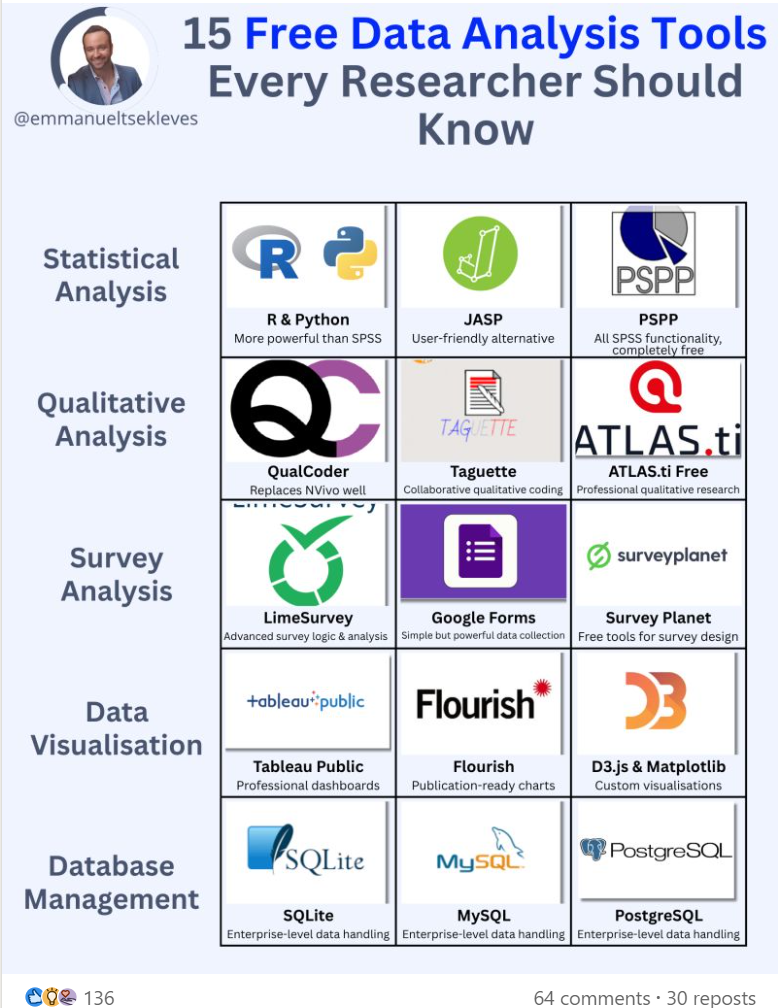
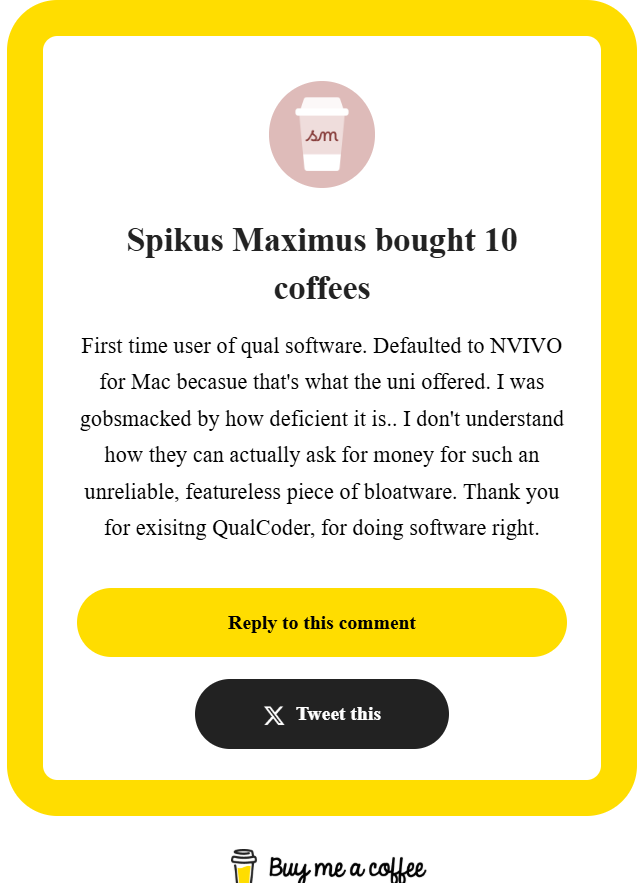
Another satisfied user

Definitely we feel that we are doing what’s best:

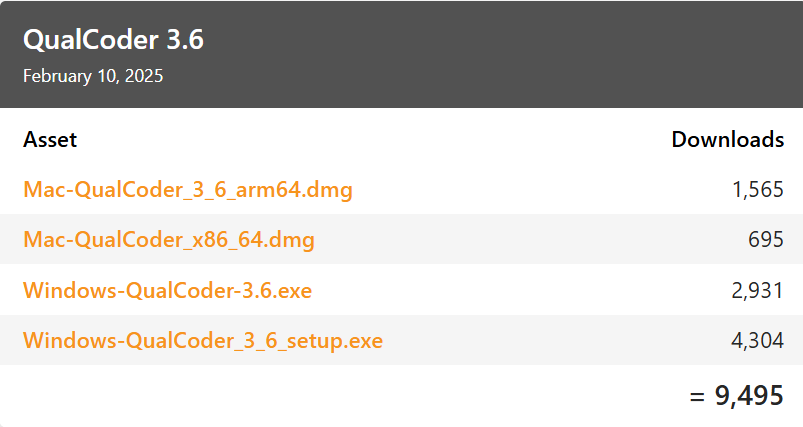
There has been a lot of downloads of the executables, with minimal problems mentioned. There is a separate link for the Ubuntu executable, so those downloads are not listed below. However, it is hard to know how many people are just ‘kicking the tyres’ to see if QualCoder is something they can use, or if they are actively using the software. QualCoder does not contain any telemetry to get that kind of feedback.

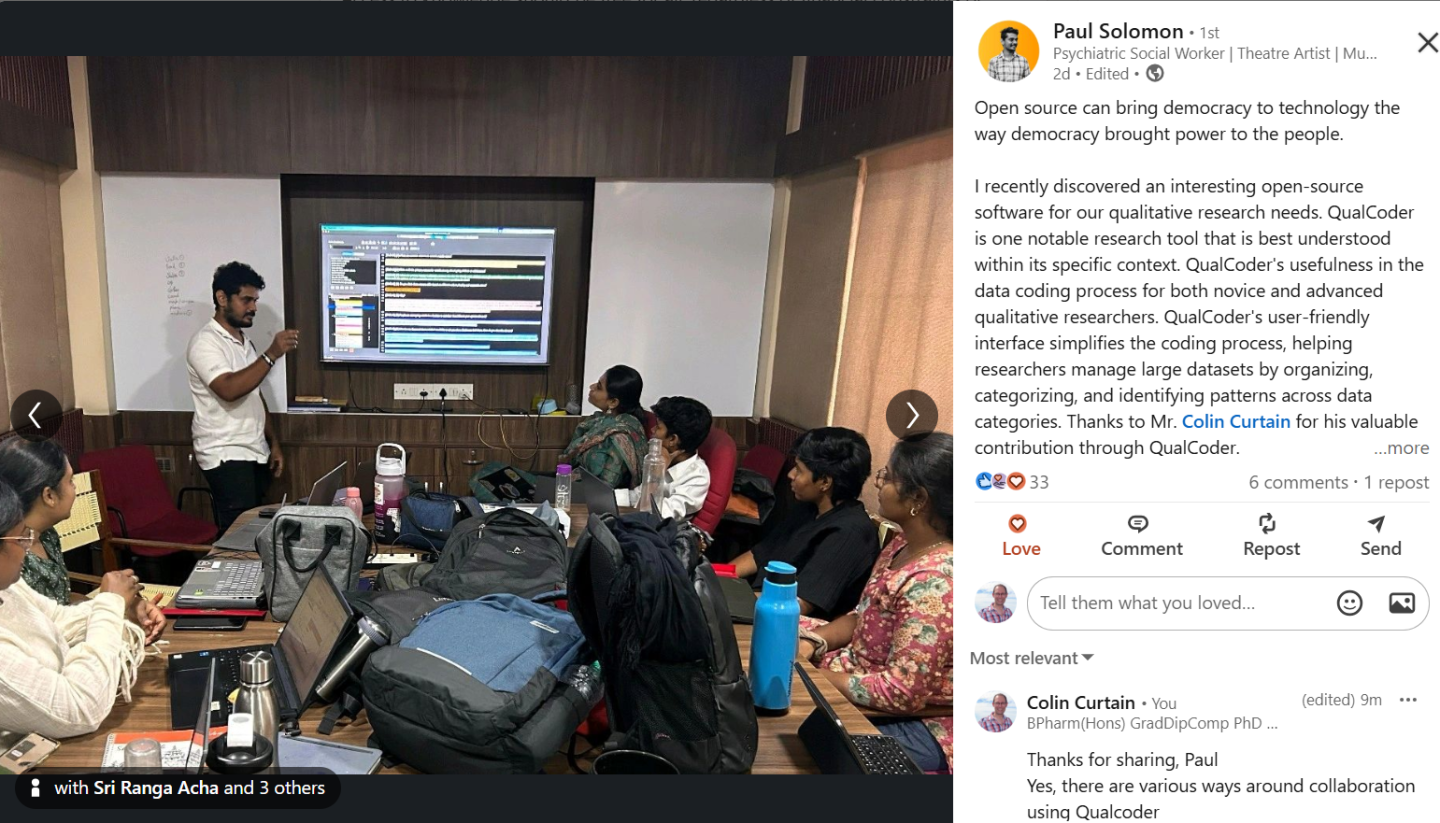
QualCoder Workshop in India

Paul Solomon conducting a workshop in Chennai and supporting Open Source software.

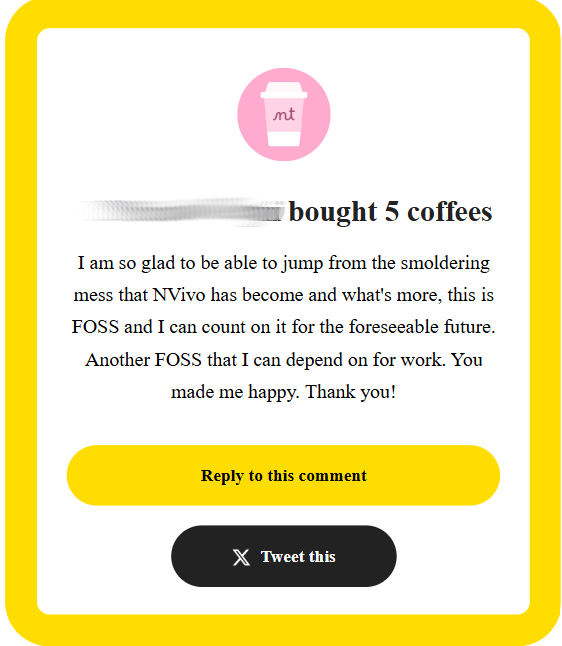
Another happy user

We must be doing something right.

If you like QualCoder please buy me a coffee ...

Buy Me A Coffee

QualCoder 3 6 Released

Hello everyone,

We are proud to announce the release of the latest QualCoder, version 3.6.

Apart from a range of additional functions and improvements, this version now has the capacity to use artificial intelligence to assist with coding text, and another AI function for a general chat -- on topics related to your project.

The release details, source code, and executable for Windows, macOS, and, yet to be added, Ubuntu are avaible from here:

https://github.com/ccbogel/QualCoder/releases/tag/3.6

Please let us know what you think of QualCoder, and whether there are larger teams or research groups using the software. Also please if you enjoy using QualCoder promote it among your colleagues or even via publishing an article using QualCoder.

Temple University QualCoder workshops

Temple University Libraries, is featuring QualCoder, a free, open-source qualitative data analysis (QDA) software that can help save time and support many stages of qualitative research.  Resources and comparison with NVivo and ATLAS.ti will also be shared.

QualCoder for Qualitative Data Analysis (QDA)\ Tue, Feb 04, 12:00 pm -1:00 pm

Getting close to the 3 6 release

We are getting close to the release of the 3.6 version, which among other changes will have an artificial intelligence modelling option. The AI component is optional and will allow the use of several language models currently available. This can be used to apply automated coding of text, based on a project memo, code names and memos and various prompts. Kai Droege has worked on and developed this for some time, and we have had a soft availability of this code to obtain feedback from various users to improve the installation and usage of the AI functionality.

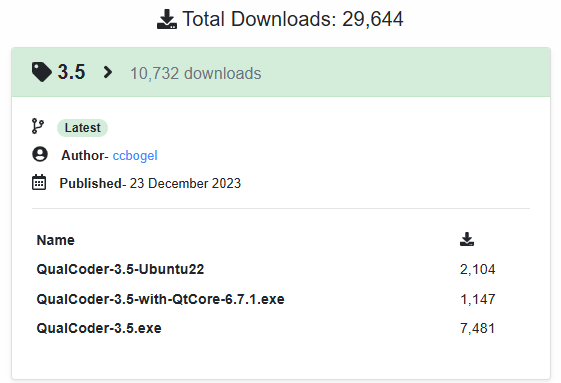
There has been an impressive uptake of the 3.5 version that was released a year ago on 23rd December 2023 with over 10,000 downloads of the executables (as at 22 Jan 2024) for Windows and Ubuntu.

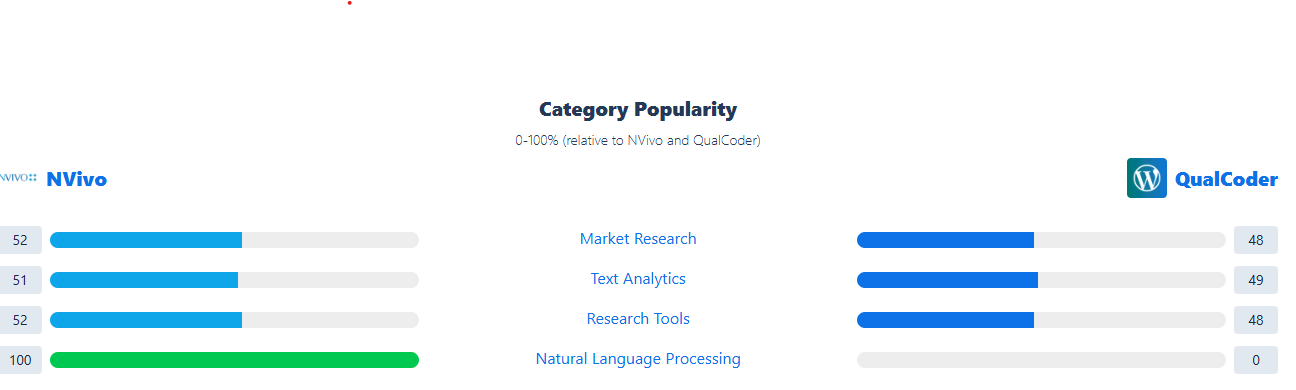
It is great to see that saashub https://www.saashub.com/ which shows comparisons between similar software indicated that QualCoder is very favourably viewed compared to the very well known Nvivo software (as at 22 Jan 2024).

with regards Colin

Launcher for Linux

Thanks to Carlos Lira for this post on his blog. This is how to make a launcher for QualCoder on Linux. The Ubuntu executable is available through the Releases pages of QualCoder. If you use a different version of Linux, or want to run for source code instead. Please read the full blog below. I have copied an excerpt only

https://aldats.dev/blog/launch-qualcoder-without-terminal

Creating the QualCoder Script

  1. Create a file named qualcoder in your preferred text editor.
  2. Copy the Bash script below and paste it into the qualcoder file.

    #!/bin/bash\ \ QUALCODER_DIRECTORY="/home/aldats/Documents/qualcoder"\ \ source $QUALCODER_DIRECTORY/qualcoder/bin/activate\ $QUALCODER_DIRECTORY/qualcoder/bin/qualcoder &

  3. Replace the value for QUALCODER_DIRECTORY on line 3 with the full path to your QualCoder installation.

  4. Mark the file qualcoder as executable. This can be done with the command chmod +x qualcoder.
  5. Enter the command ./qualcoder. QualCoder should launch.

Moving the QualCoder Script to a PATH Directory

  1. In a terminal, enter the command echo $PATH. This prints the value of your PATH variable.
  2. Observe output similar to below. Paths are separated by a colon (:).\ /home/aldats/.local/bin:/usr/local/sbin:/usr/local/bin:/usr/bin:/usr/sbin:/bin
  3. Pick one of the paths in your PATH output. I picked /home/aldats/.local/bin.
  4. Move your qualcoder script to the directory at the path you picked.
  5. Open a new terminal.
  6. In the new terminal, enter the command qualcoder. QualCoder should launch.

Second: Run QualCoder From a Launcher

On Linux, launchers generate a list of launchable programs by looking for special desktop files in directories like /usr/share/applications/ and ~/.local/share/applications/. If you make a desktop file for QualCoder in one of these directories, you can run QualCoder with a launcher.

  1. Create a file named qualcoder.desktop in your preferred text editor.
  2. Copy the below text and paste it into qualcoder.desktop.\ [Desktop Entry]\ Name=QualCoder\ Exec=qualcoder\ Type=Application\ StartupWMCClass=qualcoder
  3. Move your qualcoder.desktop file to a directory your launcher will find desktop files in, like /usr/share/applications/ or ~/.local/share/applications/.
  4. In your launcher, look up "QualCoder" and launch.

Writing articles about QualCoder

Since I began releasing QualCoder, interest and use of the software has continued to grow. The first release was a 1.3 version on 17th April 2019 as a Debian install for Linux. Currently I try to release the software as a Windows executable (exe) and an executable for Linux Ubuntu.

It would be really appreciated if there were independent researchers who could write and publish independent and in depth articles about the QualCoder software. How is has been used, what the advantages and disadvantages are.

This chart is from data obtained on 9th August 2024. It shows executables downloaded from the GitHub releases, https://github.com/ccbogel/QualCoder/releases. These executables comprise Linux Debian install files, Windows executables and Linux Ubuntu executables. The most recent bar comprises 1,049 Ubuntu executables and 3,590 Windows executables.

In the near future, further developments to the software will include more functionality such as:

  • Incorporating an artificial intelligence coding capacity, developed by Dr Kai Dröge, see https://www.youtube.com/watch?v=FrQyTOTJhCc.

  • Adding a code organiser function, so that the code tree hierarchy can be shuffled around easily, to move initial codes and organisation into an improved representation of the concepts and theory that emerge, on deeper understanding of the data. A grounded theory approach.